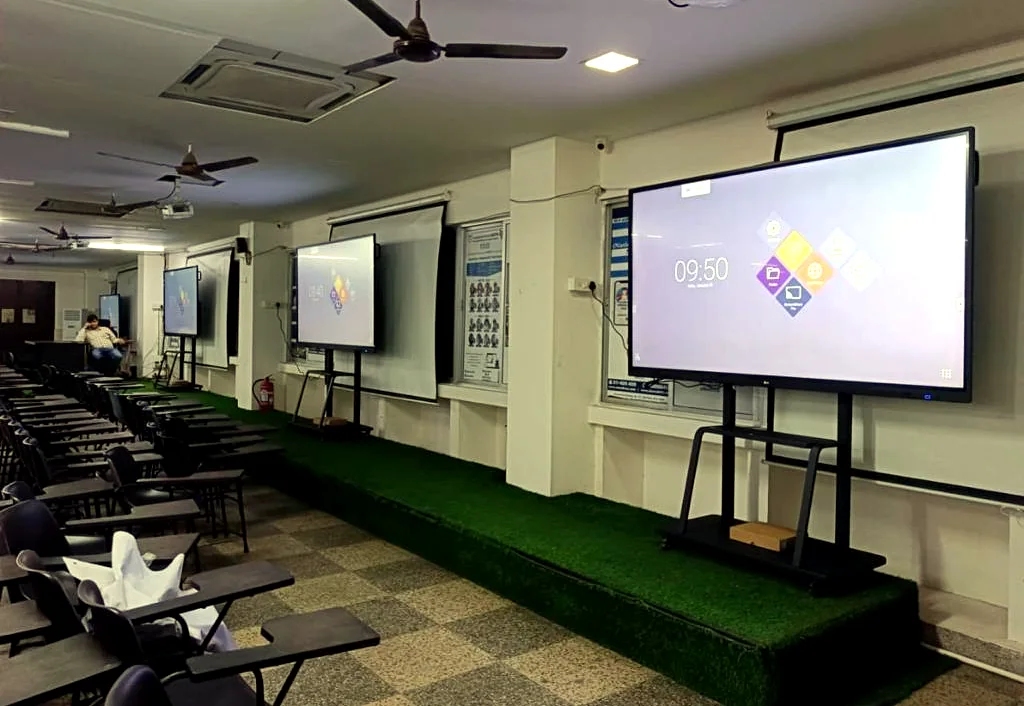
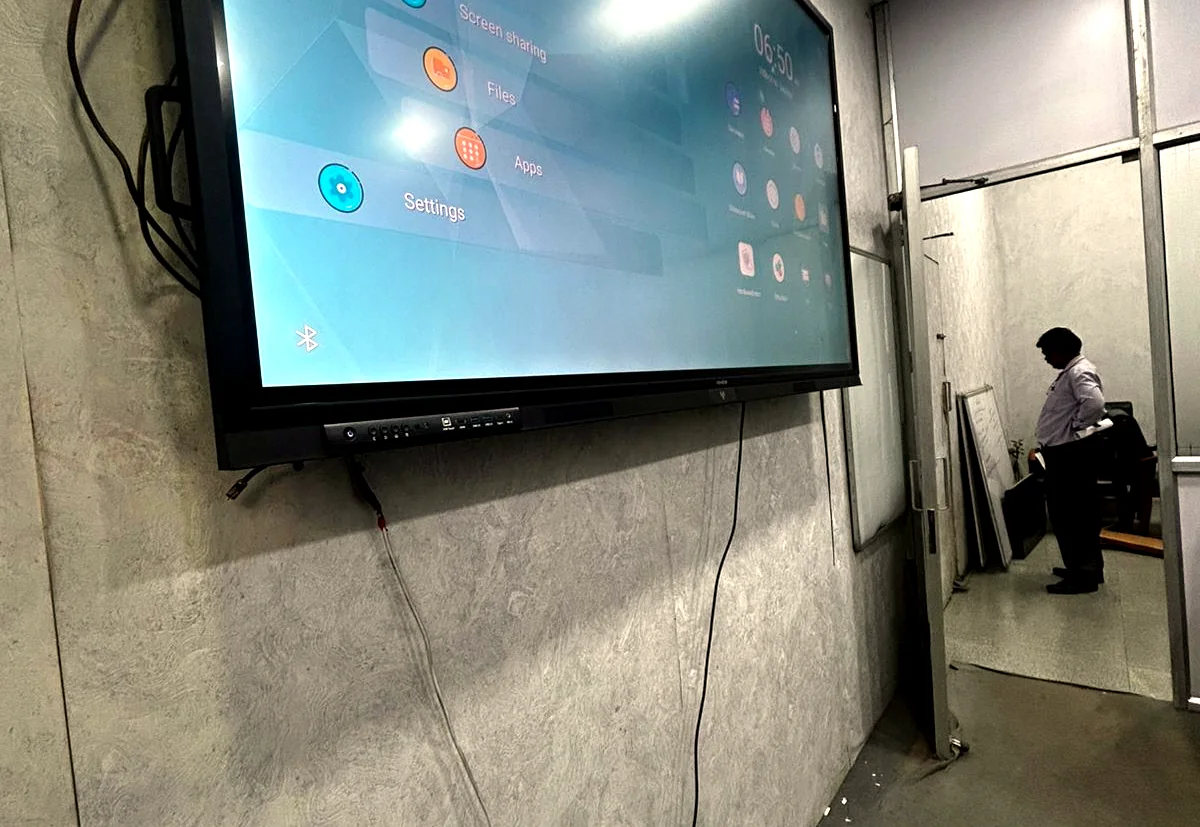
Interactive displays and smart classroom panels supplied and integrated by GPSPL

Interactive Technology

Interactive Display Solutions

Interactive flat panels, smart boards, collaboration displays and professional screens supplied, installed and supported for classrooms, meeting spaces and training rooms.

Discuss Your Display Requirement

Supply + Design + Integrate + Support

Interactive panels that people can actually use every day.

GPSPL supplies and integrates interactive displays as complete room solutions: panel selection, display size, mounting, teaching workflow, screen sharing, audio readiness, warranty guidance and support handover.

LG logoLGNewline logoNewlineBenQ logoBenQSamsung logoSamsungEpson logoEpsonLuminous logoLuminous
01

Interactive Flat Panels

LG, Newline and BenQ-style panels for writing, annotation, whiteboarding, presentation and training.

02

Teaching & Annotation Tools

Magnetic pen workflows, multi-user touch, Type-C connectivity, screen sharing and classroom collaboration.

03

Mounting & Room Readiness

Wall mounts, mobile stands, cable routing, audio/camera integration, UPS readiness and user handover.

04

Education & Enterprise Use

Smart classrooms, lecture halls, training rooms, boardrooms, coaching centers and collaboration areas.

Product Portfolio

Enterprise Hardware Range & Display Models

GPSPL supplies, configures, and maintains official enterprise commercial displays, interactive touch panels, and business TVs from Samsung and LG across Delhi NCR & PAN India.

75/86 inch interactive panels Smart boards Touch displays Wireless screen sharing Type-C connectivity Mobile floor stands Heavy-duty wall mounts Classroom audio integration Turnkey Training & AMC

Why It Helps

Benefits for buyers, users and support teams.

  • Teachers and presenters can write, share and explain without complex controls.
  • Correct display sizing improves visibility for students and meeting participants.
  • Installation, training and support make the panel useful after purchase.
GPSPL Role

One accountable partner

GPSPL supports product shortlisting, procurement, installation planning, commissioning, user handover, warranty coordination and AMC readiness so technology purchase becomes a working solution.

Request Quote

RFQ Checklist

Details that help us quote faster.

Share these details and GPSPL can recommend the right brand, model family, accessories, installation scope and support plan.

01

Room size and seating depth

02

Wall or mobile stand requirement

03

Touch, pen and sharing workflow

04

Audio/camera requirement

05

Quantity and city/location

06

AMC or warranty support expectation

Enterprise & Education Interactive Display Guide

Interactive flat panels are replacing legacy projectors in classrooms and corporate boardrooms alike. Choosing the right interactive display solution requires balancing touch accuracy, operating systems, software ecosystems, and physical size. GPSPL coordinates the entire process, including selecting certified models like the interactive board for classroom or corporate huddle rooms, heavy-duty mobile carts or wall brackets, and complete classroom audio systems integration.

Choosing the Right Panel Size

Selecting the right size prevents user strain and ensures clear display details:

  • 65-Inch Displays: Ideal for smaller training labs, huddle spaces, and meeting rooms accommodating up to 6-8 participants.
  • 75-Inch Displays: Suitable for standard school classrooms and corporate conference rooms with 10-15 participants.
  • 86-Inch Displays: Recommended for large-format display needs, executive boardrooms, university lecture halls, and large training rooms.

Interactive Display FAQs

What is Android EDLA certification and why does it matter?

Enterprise Devices Licensing Agreement (EDLA) certification ensures the interactive panel has native access to Google Mobile Services (GMS), including Google Play Store, Google Workspace apps, and secure single sign-on (SSO), allowing teachers and corporate presenters to access files directly from the cloud securely.

What is the standard mounting height for an interactive board?

For corporate rooms, the center of the display is mounted between 55 to 60 inches from the floor for comfortable standing and viewing. In school classrooms, the display is mounted lower (45 to 50 inches from the floor) to allow younger students to reach the interactive board easily.

Can GPSPL configure active stylus integration and cloud sharing?

Yes. As a turnkey service provider, we configure display calibration, stylus write-delay optimization, dual-pen settings, screen mirroring apps (like LG Share), cloud remote manager, and local training room network integrations.

What maintenance is required for interactive displays?

Interactive panels require periodic screen cleaning with microfiber cloths, IR sensor bezel clearing, firmware updates, connectivity checks for OPS modules, and mounting structure safety audits, all covered under our AV AMC contracts.

Select the Right Interactive Panel

Use our online tools or coordinate with our Delhi NCR design engineers to build your custom configuration.

Use AV BOQ Calculator Request Custom Quote

Comparison Guide

Interactive Flat Panel vs. Classroom Projector

Determine the best interactive workspace solution for students and corporate training.

Feature Interactive Flat Panel (IFPD) Classroom Projector & Whiteboard
Writing & Touch Multi-touch (up to 50 points), active stylus writing, pinch-to-zoom. Static screen, no touch annotation (unless using costly interactive pens).
Presenter Shadow Zero shadow obstruction; presenter stands right at the board. Presenter blocks the light path, casting shadows and straining eyes.
Operating System Native Android (EDLA) with Google Workspace access and direct cloud save. Requires constant connection to an external laptop/PC via HDMI.
Consumables Maintenance Solid-state display, zero bulb or filter replacements needed. Requires periodic projection lamp replacements and filter cleaning.

⭐ Top Selling Commercial Displays & Smart TV Hardware

Recommended Commercial Displays & Smart TV Models

High-reliability commercial grade displays, digital notice boards, and smart business TVs supplied and integrated by GPSPL for education, corporate, healthcare, and public sectors.

Top Selling in Classrooms

Samsung Business TV (BEFX-H2)

Commercial 4K UHD smart TV engineered for classrooms, notice boards, cafeterias, and meeting areas.

  • Available Sizes: 43", 50", 55", 65", 75", 85" (BE43FH – BE85FH)
  • Duty Cycle: 16/7 Daily Commercial Operation • 400 Nits
  • PlayLock Security PIN: Locks buttons & ports from tampering
  • Commercial Warranty: 3-Year Onsite OEM Warranty
Top Selling for Lobbies

Samsung Crystal Signage (QBC)

Ultra-slim 28.5mm 4K UHD signage with 1 Billion colors for campus corridors, reception desks & smart labs.

  • Available Sizes: 43", 50", 55", 65", 75", 85" (QB43C – QB85C)
  • Ultra-Slim Depth: 28.5mm Profile • Symmetrical Bezels
  • Dynamic Crystal Color: 10-bit Color (1 Billion Shades)
  • Commercial Warranty: 3-Year Onsite OEM Warranty
Top Selling for 24/7 NOCs

Samsung Heavy-Duty 24/7 (QMC)

Heavy-duty 500 nits display with 25% non-glare haze for high ambient light, boardrooms & command centers.

  • Available Sizes: 43", 50", 55", 65", 75", 85" (QM43C – QM85C)
  • Brightness & Optics: 500 Nits • 25% Non-Glare Matte Haze
  • Duty Cycle: 24/7 Continuous Heavy-Duty • IP5x Dust
  • Commercial Warranty: 3-Year Onsite OEM Warranty
Top Selling in Boardrooms

LG Commercial TV (NU88C)

4K UHD NanoCell commercial display with alpha 7 AI Gen9 processor and customized hospitality/hotel mode.

  • Available Sizes: 43", 50", 55", 65", 75", 85"
  • AI Visuals: LG NanoCell 4K • alpha 7 AI Gen9
  • Smart Platform: webOS 26 • Hotel Mode Setup Lock
  • Commercial Warranty: 3-Year Onsite OEM Warranty

Buying Guidance

Common Mistakes to Avoid

Avoid these frequent pitfalls when planning, sourcing, and installing enterprise technology systems.

01

Ignoring Stylus Writing Lag

Sourcing panels with high touch lag, making writing and annotations feel sluggish and unnatural.

02

No Remote Display Management

Skipping MDM software license setups, preventing centralized IT team updates.

03

Failing Annotation Software Checks

Buying interactive boards without checking licensing costs for presentation software.

04

Weak Mobile Stand Selection

Using generic display stands that lack safety certifications for heavy touch panels.

Target Sectors

Industries Served & Project Experience

GPSPL delivers integrated technology across multiple business and educational verticals.

Corporate Education Hospitality Government Healthcare

Get a Faster Quote

Quote Readiness Checklist

To help GPSPL engineers recommend the right product models and prepare a precise site-survey-backed BOQ, please share the following details when contacting us:

  • Room dimensions & layout (or photos/drawings of the site)
  • Seating capacity and usage pattern
  • Preferred brand or existing system model family
  • Installation requirement and site timeline
  • City / location of the project site
  • AMC and warranty expectations
Talk to GPSPL Build AV BOQ